All equipment, on every vessel, on schedule
Planned maintenance, with records ready for ISM, Class, and Flag State inspections

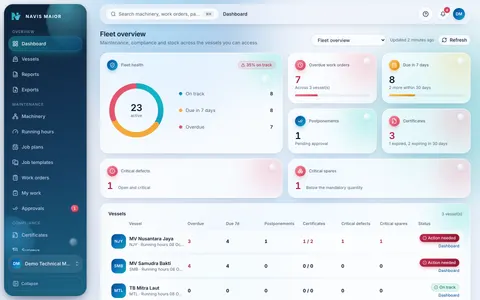


Track Maintenance with Dashboards


Why use a PMS?
Paper Records Get Outdated
Maintenance schedules and records are not always updated on time
Excel Changes Are Hard to Track
You cannot easily see who changed a maintenance date or why.
All Vessel Maintenance in One Place
Keep maintenance schedules, records and approvals together in one system.
The fleet overview
One screen shows the maintenance position of every vessel you can access, with the most urgent items listed first. Each vessel has its own row with the same counts and a status badge.
- Overdue maintenance jobs and those due within a set period, based on each vessel's local date.
- Expired certificates and those expiring within a set period.
- Open critical defects and critical spare parts below minimum required levels.
From Equipment to Maintenance Records
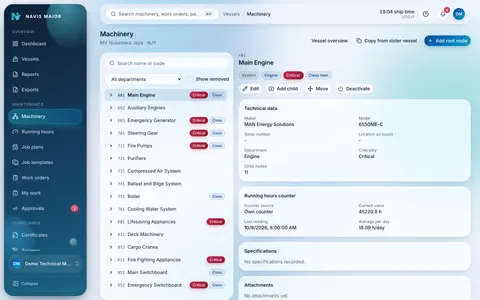
Model the whole ship
Every vessel becomes one tree of systems, equipment and components, with critical and class items marked and counters on running machinery.
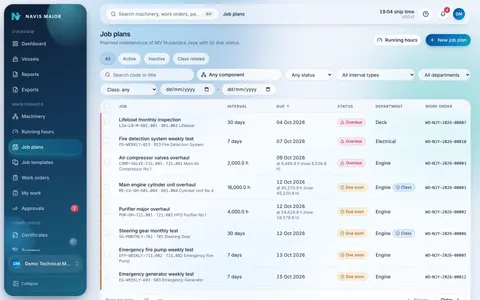
Plan once, it runs itself
Job plans follow calendar days, running hours or both, whichever comes first. Work orders are issued on their own ahead of each due date.
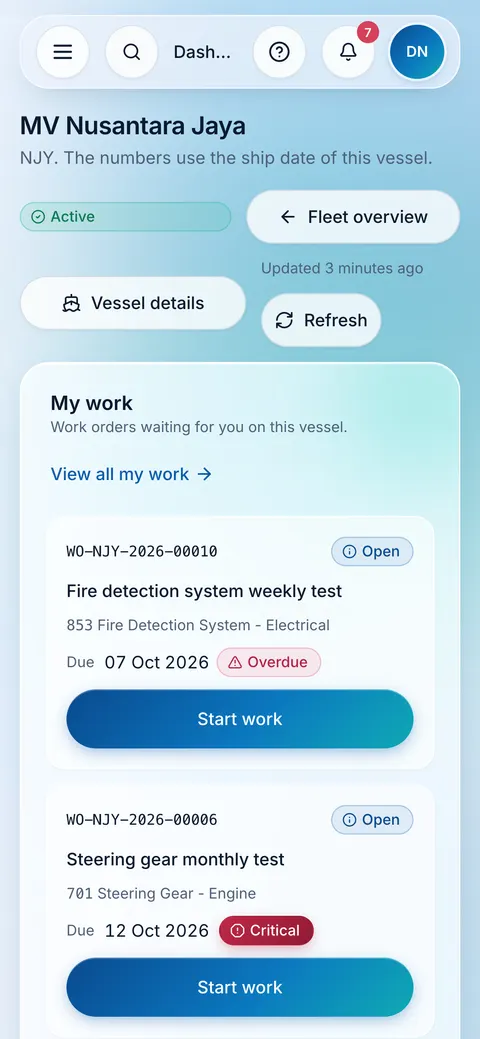
Do the work, prove it
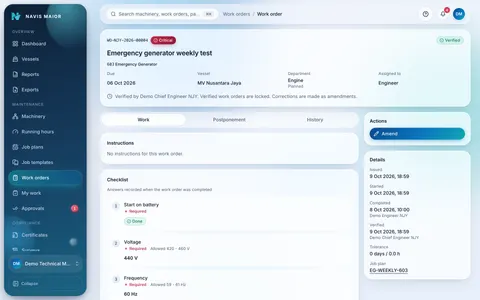
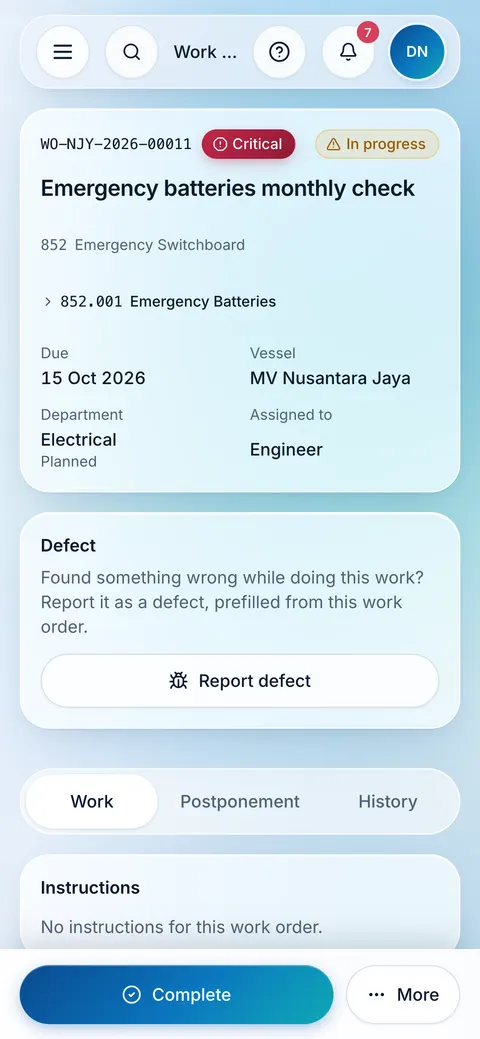
The crew completes checklists and attaches evidence on a phone or a desktop, then the head of department verifies and locks the record.
Keep the record
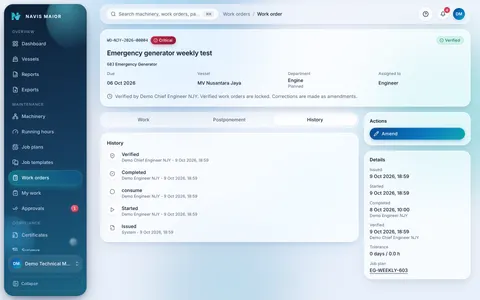
Every change, approval and postponement is kept in a history that cannot be edited or deleted, ready to show an auditor.


Each User Sees Only Their Assigned Tasks

Owner
Every vessel you have access to, in one view.
- A fleet dashboard of overdue work, certificates, defects and critical spares.
- Overdue and upcoming maintenance tasks, based on each vessel’s local date.
- Records ready for ISM, Class and Flag State audits.

Technical manager and superintendent
Plan the work and decide what can wait.
- Job plans on calendar days, running hours or both.
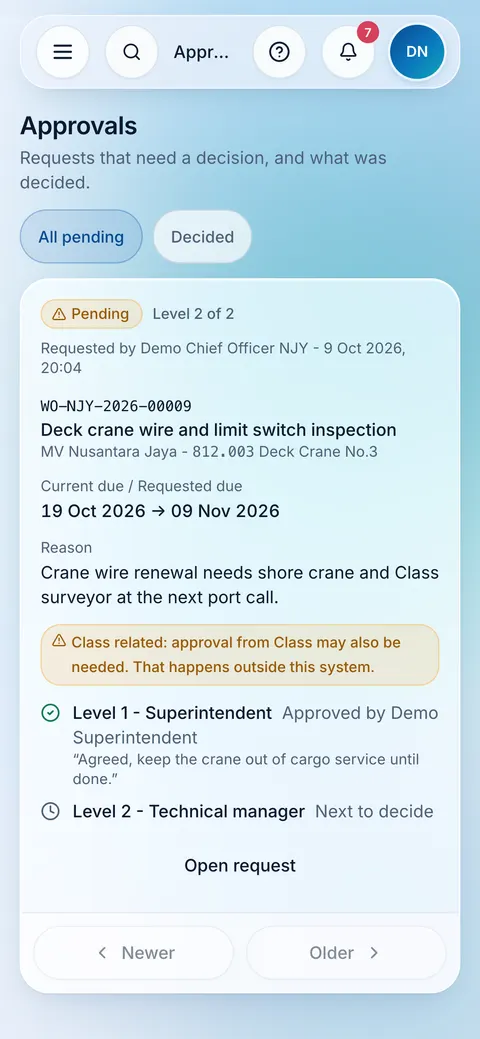
- Maintenance postponements approved at different levels, with the original due date kept on record.
- Interval changes on class related or critical jobs need an approval.

Master and Officers
- Due and overdue tasks are based on the vessel's local date.
- The Chief Officer assigns and checks deck maintenance jobs.
- The Master monitors certificates and surveys, with alerts before expiry.

Chief Engineer and Engineers
Manage Daily Engine Room Maintenance
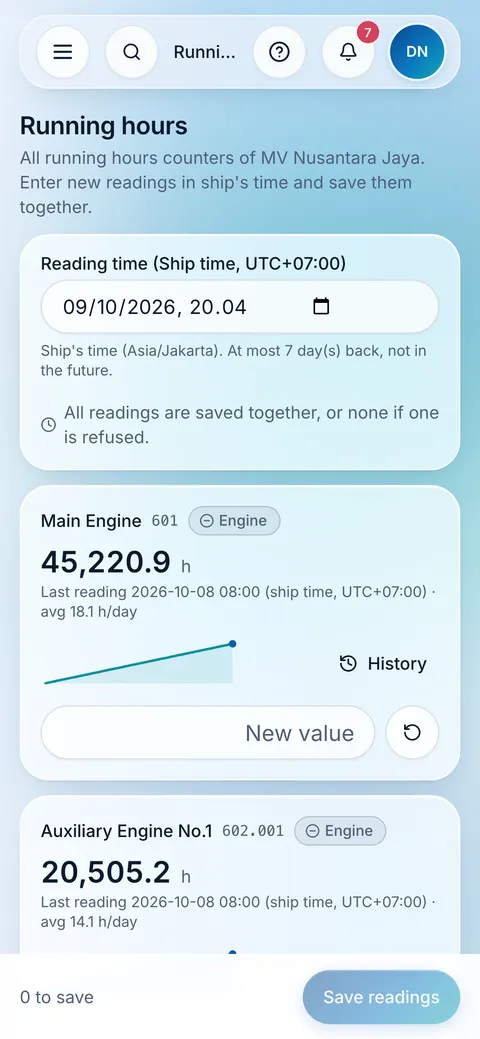
- Record running hours for each machine.
- Complete maintenance jobs with checklists and photos.
- Record spare parts received and used in the engine room.
The Process Behind Every Task

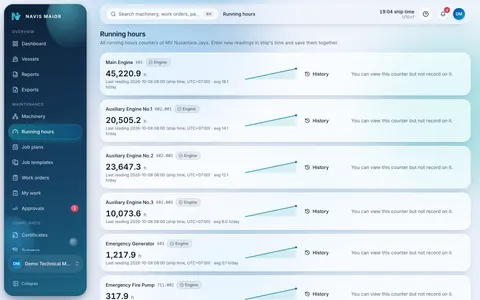
Running hours tracking
Track equipment running hours and schedule maintenance based on running hours or calendar dates, whichever comes first.
Certificate and Survey Expiry Alerts
The Master and Superintendent receive automatic alerts before certificates and surveys expire

Spares with minimum levels
An item’s quantity below its minimum stock triggers an order alert. The office can request transfers between vessels.
Jobs' postponements upon approval
From ship to office level, jobs’ maintenance can be postponed, subject to approval, depending on job criticality.
Every vessel at a glance
Overdue work, expiring certificates, critical defects and critical spares across the vessels you can access.
Reports Generation and Excel Data Import
Generate and download maintenance reports in PDF or Excel. Easily add a new vessel by importing its data from a single Excel file.
- Coming soon
Requisitions
Requisitions will follow the same multi-level approval steps used for postponements and stock takes.


Secure Maintenance Records
Maintenance Job Completed
Checklist completed and photos or documents attached.
Job Checked by Department Head
The work order is locked after verification.
Maintenance Postponement Approval
The original due date is kept on record.
Maintenance Job Closed
The completed job is recorded in the maintenance history.
- Records cannot be changed or deleted once saved.
- Every change shows who made it and when.
- Maintenance history is available in Excel for ISM, Class and Flag State inspections.
Records prepared for audits under
- ISM Code
- Class societies
- Flag State

Ready for life on board
Ten roles, access per vessel
Each person sees only the vessels assigned to them, and ship staff change maintenance of their own department.
- Platform administrator
- Company administrator
- Technical manager
- Superintendent
- Master
- Chief engineer
- Chief officer
- Engineer
- Deck officer
- Auditor
Two-Factor Login
An additional security code is required for administrators and technical managers. Other users can enable it if they wish.
Maintenance Due Dates Based on Vessel Time
Maintenance due dates are calculated using each vessel's local date and time.

Fast and Easy to Use
The system stays fast and easy to use, even with years of maintenance records.
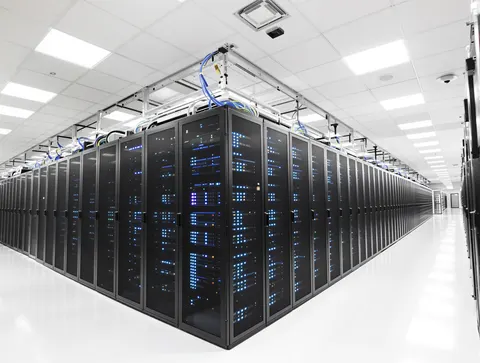
One server per client
Your company runs on its own server, never shared with another client. A company administrator can export all of it as CSV.


Getting started
See a demo
A walk through the application with your team, on your kind of vessels and work.
Set up vessels and machinery
Load each vessel from one Excel workbook, checked before anything is saved, or copy a sister vessel.
Give your people access
A role and the vessels they work on for each person, with two-factor sign in for administrators.
Run the plan
Work orders are issued ahead of each due date, and every record builds the audit trail.
Straight answers
Including what NAVIS MAIOR does not do yet.

What does NAVIS MAIOR cover?
Planned maintenance for every vessel: the machinery tree, job plans on calendar days or running hours, work orders with evidence, certificates and surveys, defects, spare parts and stock, approvals, reports and a permanent audit trail.
Where does our data live?
On a server set up for your company alone and never shared with another client. The data is yours: a company administrator can export all of it as CSV files at any time.
Can the crew use it on a phone?
Yes. It is a web app that fits phones and tablets, with nothing to install. My work, running hours, defect photos and issuing spare parts are laid out for a phone on board.
Does it work offline?
Not in the current release. NAVIS MAIOR needs a connection to its server. Lists load one page at a time to stay usable on a slow ship connection, but nothing can be saved without one.
Can we import our existing schedule?
Yes, from the standard NAVIS MAIOR Excel workbook, one per vessel. Every row is checked first and nothing is saved until you review the summary and commit. Your existing data is copied into that workbook beforehand.
Which standards does it help with?
It keeps an append only audit trail, ready to show in ISM, Class and Flag State audits, with an extract in Excel. It supports your compliance work; it does not certify vessels or replace a surveyor.

See your fleet on one living plan
Tell us about your fleet and we will arrange a demo for your team, at a time that suits you.
Prefer to talk directly?
Thank you. Your request is on its way.
We will reply by email to arrange a demo that fits your fleet.